Edge
extport publishes to Edge Add-ons using Partner Center’s Submission API.
Credential fields
Section titled “Credential fields”Under Settings → Store credentials → Edge, extport asks for:
| Field | Where it comes from |
|---|---|
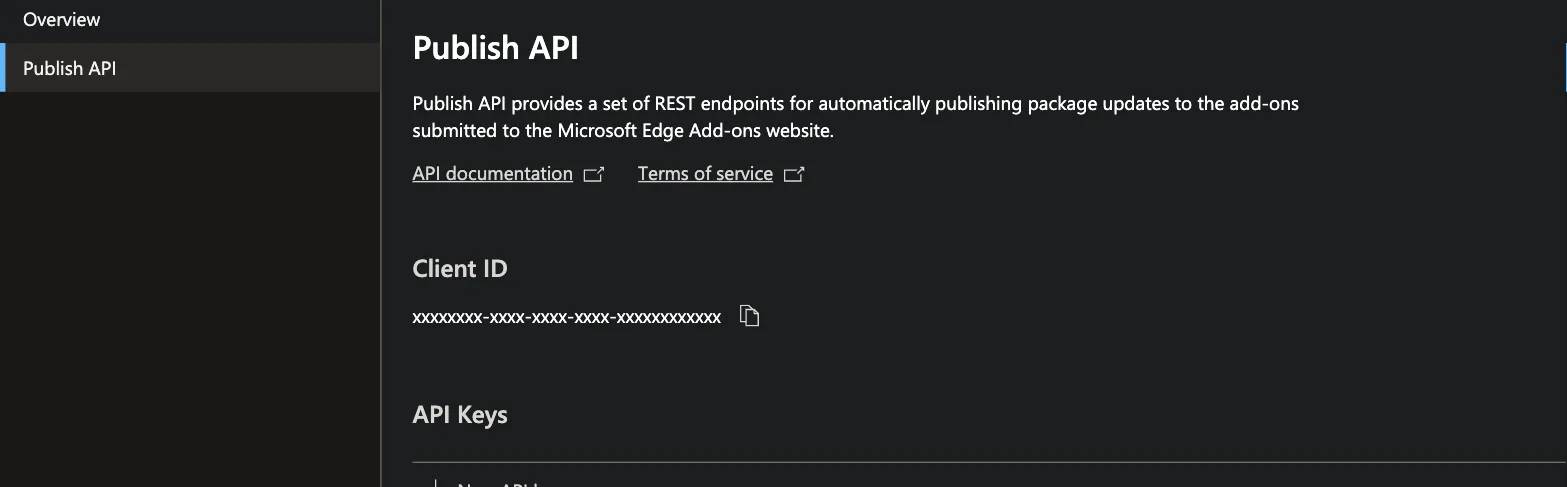
| Client ID | Partner Center → Edge → Publish API → Client ID |
| API Key | Same page → New API key |
A single Client ID/API key pair covers every extension on that Partner Center account — you don’t need one per extension.
Product id and crx id
Section titled “Product id and crx id”Edge is the one store with two different ids for the same listing:
| Field | Used for | Where it comes from |
|---|---|---|
| Product ID | Required — the Submission API’s internal GUID | Partner Center → your extension → Extension identity |
| CRX ID | Optional | The store-facing id shown on the extension’s public Edge Add-ons page |
Product ID is what actually publishes; CRX ID only helps extport detect the live version between reconcile ticks when the Submission API itself can’t report status.
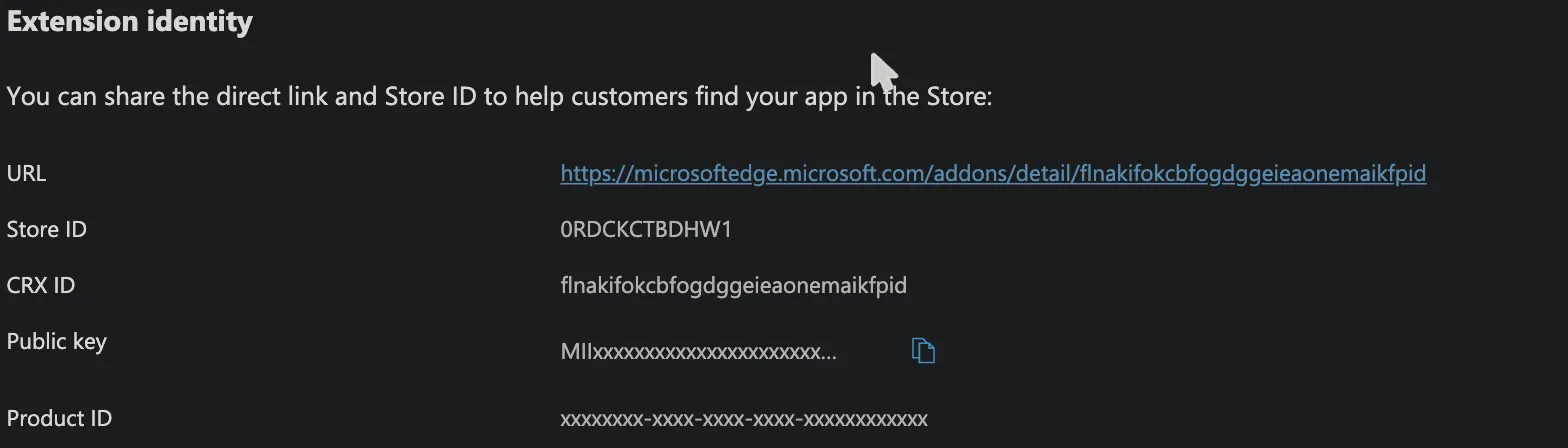
For example, Redirector’s Edge listing has Product ID
fc0018c2-ecb8-4305-8ccf-b700cc62aba7 and CRX ID jhdjcofnjfeljeekjklhgfmfocfgibmm — the CRX ID is also the
trailing segment of its public listing URL, microsoftedge.microsoft.com/addons/detail/redirector/jhdjcofnjfeljeekjklhgfmfocfgibmm.
Pasting that listing URL into the dashboard’s target form fills the CRX ID — the Product ID can only come from
Partner Center.
After a push, extport can’t see what Edge did with it
Section titled “After a push, extport can’t see what Edge did with it”Edge is the only store that gives extport no way to check on a submission. Partner Center has no endpoint for live or pending version, and no endpoint for review state — a status endpoint was requested and declined (“not on the current roadmap”, 2026-08-05). extport polls the submission operation until Microsoft reports it succeeded, and that is the strongest confirmation the API can give. It confirms the request went through, not that the version actually entered review.
So an Edge target showing in_review in extport means “we submitted it and Microsoft accepted the request” —
Partner Center is the only place that can tell you what happened next. If a version looks stuck, open the
extension’s Extension overview there and read the version’s own status:
| Partner Center says | What it means |
|---|---|
| In review | Genuinely queued at Microsoft. Nothing to do but wait — the stated target is 7 business days, and longer happens. |
| In draft | The submission never left draft. Something on the listing is incomplete; extport cannot detect this. |
extport will notice neither case on its own. It emails a stale-review reminder after 10 days (vs 3 for the other stores, because Edge’s queue is genuinely that slow) — that reminder is the safety net, not a diagnosis.
Adding a permission means filling in a new justification
Section titled “Adding a permission means filling in a new justification”Edge’s Privacy page requires a written justification for every permission in your manifest, plus a single
purpose description. Add a permission and its justification field starts out empty, which makes the next
submission fail Edge’s own completeness check — it stays In draft while extport records it as in_review
and waits. Nothing surfaces for 10 days.
Real case (Instagram Exporter, 2026-08-08): v0.0.19 was pushed after notifications and
declarativeNetRequestWithHostAccess were added to the manifest. It sat in draft for 10 days, with v0.0.21
queued behind it, while extport showed in_review. Filling in the two justifications released it immediately.
So when a release adds a permission, fill in the justification in Partner Center before or right after the
push. Releases that don’t touch permissions inherit the existing justifications and need nothing — a
version already sitting In review is itself proof that page is complete.