Firefox
extport publishes to Firefox Add-ons (AMO) using its JWT-based Add-on API —
the same credentials the web-ext sign CLI and AMO’s own API docs use.
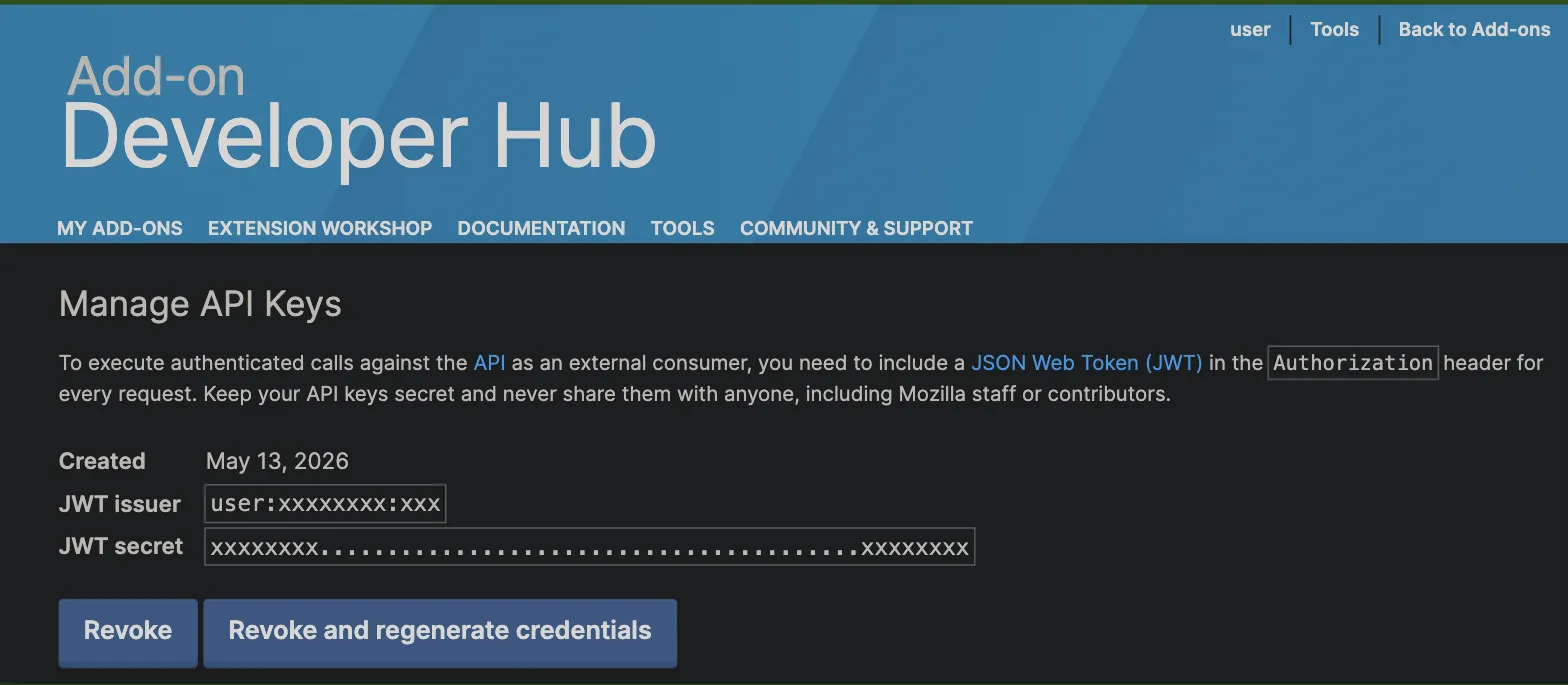
Credential fields
Section titled “Credential fields”Under Settings → Store credentials → Firefox, extport asks for:
| Field | Where it comes from |
|---|---|
| JWT Issuer | AMO Developer Hub → Manage API Keys → “JWT issuer” |
| JWT Secret | The same page, shown once when the key is generated |
If you don’t already have API keys, generate a new key pair from the Developer Hub — regenerating invalidates the previous secret, so rotate the credential in extport’s Settings right after.
Store item id
Section titled “Store item id”The store item id is your add-on’s id or slug, found in its AMO listing URL or in the Developer Hub’s “Manage” page for that add-on.
For example, Redirector’s Firefox listing is at
addons.mozilla.org/firefox/addon/redirector-url/ — the redirector-url slug is the store item id. Pasting the
whole listing URL into the dashboard’s store item id field also works — it extracts the slug for you.
Source zip
Section titled “Source zip”AMO requires the original, unminified source alongside a minified/bundled submission. When pushing specifically to
Firefox (--store firefox / a Firefox-targeted push), you can attach a source zip alongside the build —
see Publishing for the push command shape.