Port Chrome extensions to Safari
Have a Chrome extension you want to use in Safari on your own Mac or iPhone? extport port safari downloads the extension straight from the Chrome Web Store (or reads a local .crx, .zip, or folder), converts it to a Safari Web Extension, signs it with a certificate already in your Mac’s Keychain, and installs it directly onto your device — in one command, with no extport login and no App Store Connect setup.
Quick start
Section titled “Quick start”Requires macOS with Xcode installed from the Mac App Store (open Xcode once after installing to finish setup — signing in with a free Apple Account under Xcode → Settings → Apple Accounts lets Safari trust your extensions without enabling unsigned extensions).
Install extport once (bundles its own private Node.js runtime under ~/.extport — no nvm, Homebrew, or Node.js setup required):
curl -fsSL https://extport.dev/install.sh | shOpen a new terminal tab (⌘T) — or run exec zsh — then paste any Chrome Web Store URL (or 32-char extension ID) to install into ~/Applications:
extport port safari https://chromewebstore.google.com/detail/new-tab-redirect/icpgjfneehieebagbmdbhnlpiopdcmnaInstall directly onto a connected iPhone or iPad via devicectl:
extport port safari --platform ios https://chromewebstore.google.com/detail/new-tab-redirect/icpgjfneehieebagbmdbhnlpiopdcmnaExport a .app (macOS) or .ipa (iOS) without installing:
extport port safari https://chromewebstore.google.com/detail/new-tab-redirect/icpgjfneehieebagbmdbhnlpiopdcmna --output ./outUpdate extport anytime with:
extport upgradeAlready have Node.js 20.12 or later installed? Run directly without installing globally:
npx @extport/cli port safari https://chromewebstore.google.com/detail/new-tab-redirect/icpgjfneehieebagbmdbhnlpiopdcmnaInstall directly onto a connected iPhone or iPad via devicectl:
npx @extport/cli port safari --platform ios https://chromewebstore.google.com/detail/new-tab-redirect/icpgjfneehieebagbmdbhnlpiopdcmnaExport a .app (macOS) or .ipa (iOS) without installing:
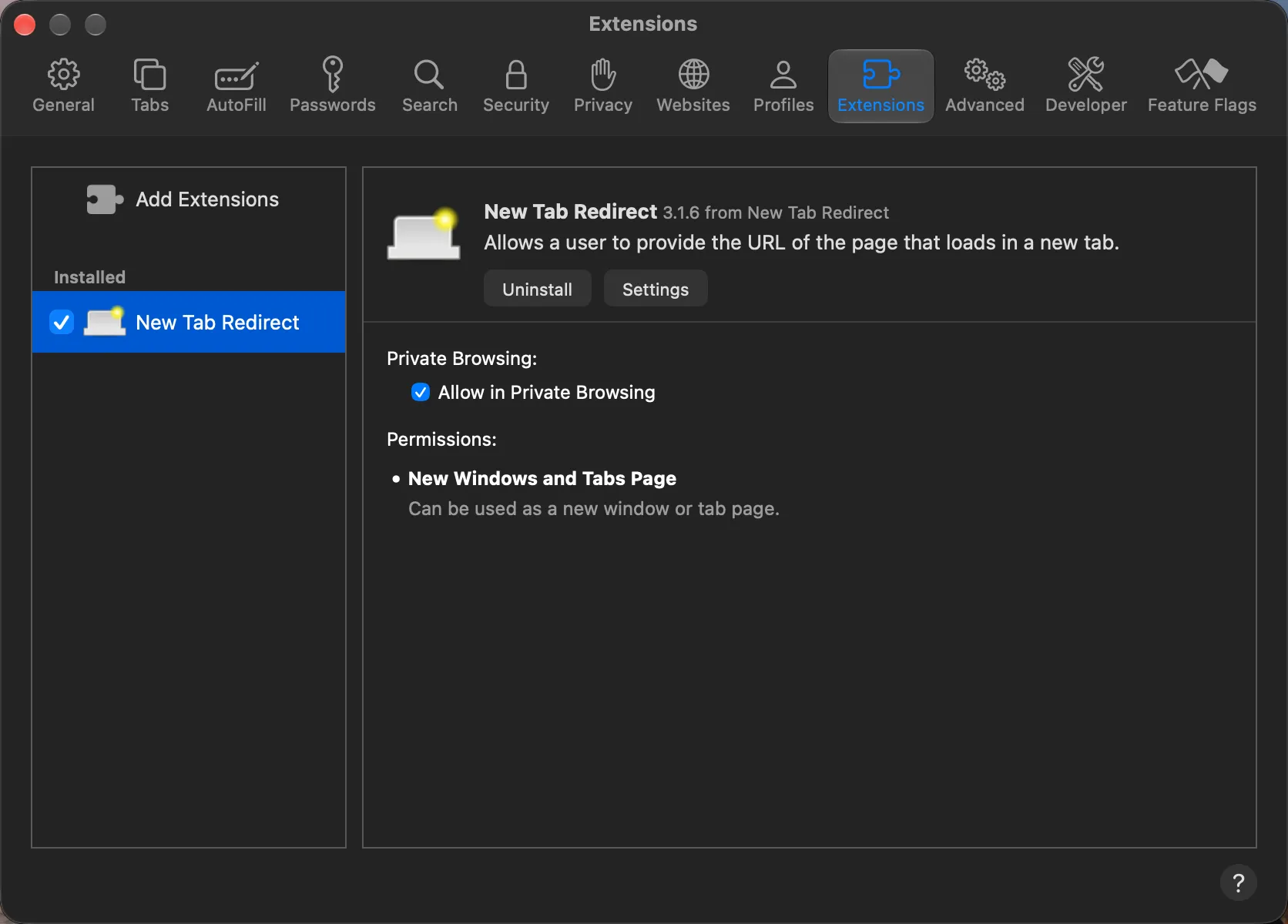
npx @extport/cli port safari https://chromewebstore.google.com/detail/new-tab-redirect/icpgjfneehieebagbmdbhnlpiopdcmna --output ./outAfter a macOS install, the host app opens automatically with a setup guide — turn the extension on under Safari → Settings → Extensions. On iOS, enable it under Settings → Apps → Safari → Extensions.
Supported inputs
Section titled “Supported inputs”Pass any of the following as <source>:
- Chrome Web Store URL (
chromewebstore.google.com/detail/...or legacychrome.google.com/webstore/detail/...) - 32-character CWS extension ID (e.g.
icpgjfneehieebagbmdbhnlpiopdcmna) - Local
.crx,.zip, or unpacked extension folder
Everything runs 100% locally on your Mac — nothing is uploaded to extport’s servers.
Signing — zero certificate ceremony
Section titled “Signing — zero certificate ceremony”Just like Xcode, extport port safari scans your Mac’s ambient Keychain automatically:
- One matching certificate (
Apple DevelopmentorDeveloper ID Application) → selected automatically, with the real Apple Developer Team ID extracted from the certificate’sOUfield. - Multiple certificates → prompts you interactively to pick one (or pass
--sign <name|sha1>to skip the prompt). - No certificate /
--no-sign→ falls back to ad-hoc signing on macOS (requires enabling unsigned extensions in Safari after each restart). On iOS,--no-sign --output ./outexports an unsigned.ipafor sideloading.
Recommended: one-time free Apple Account setup
Section titled “Recommended: one-time free Apple Account setup”You don’t need a paid $99/year Apple Developer membership to avoid Safari’s unsigned-extension prompts. Signing in to Xcode once with a free Apple Account creates a local Apple Development certificate (valid for 1 year, with no 7-day expiry on macOS). Once created, extport port safari signs automatically — Safari trusts the extension permanently even with Show features for web developers turned off, and you never need to open Xcode again.
-
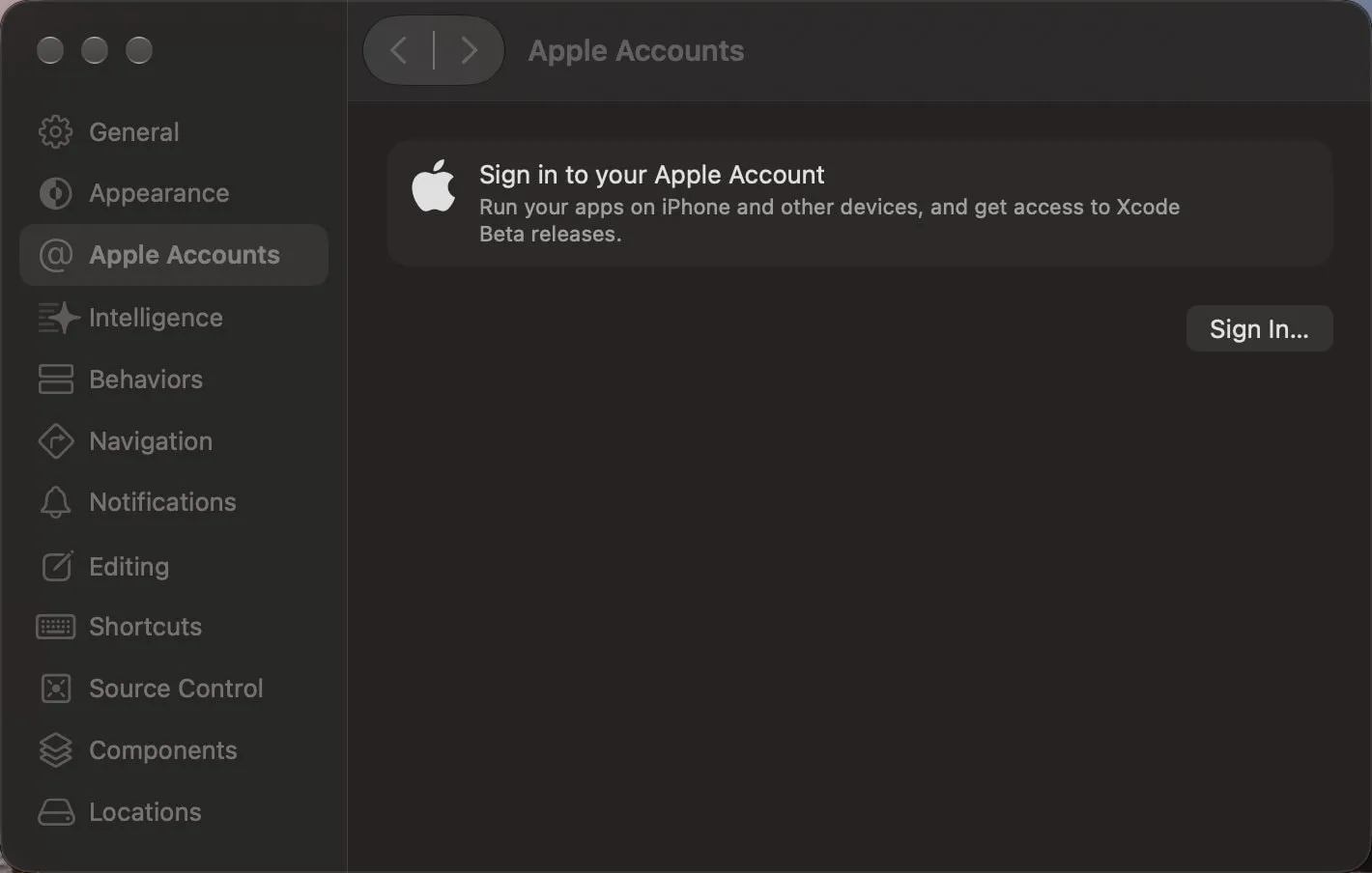
Open Xcode → Settings → Apple Accounts and click Sign In… with any free Apple Account.
-
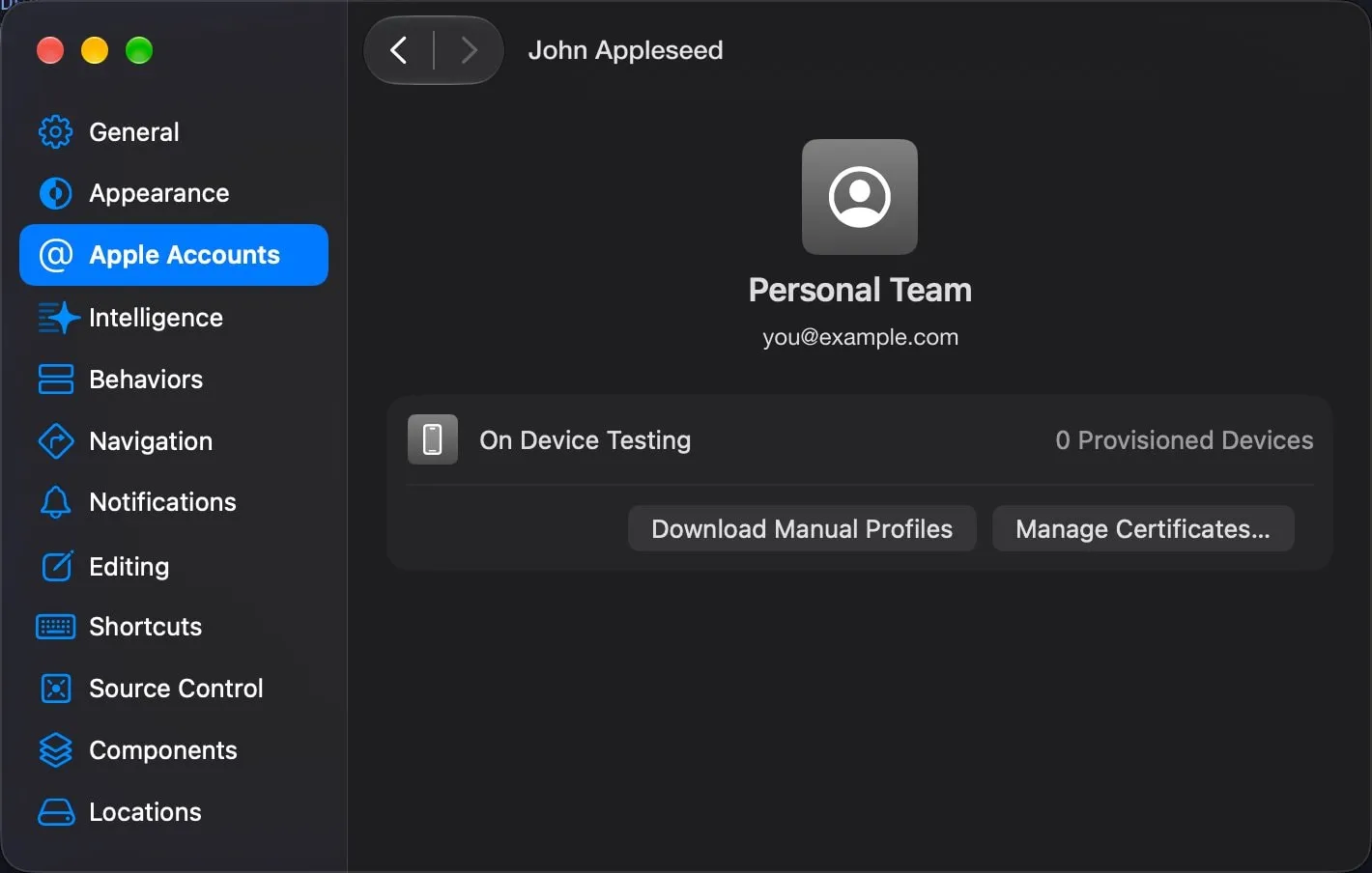
Click into your Personal Team and select Manage Certificates….
-
Click
+in the bottom-left corner and choose Apple Development to mint your local certificate, then click Done and close Xcode.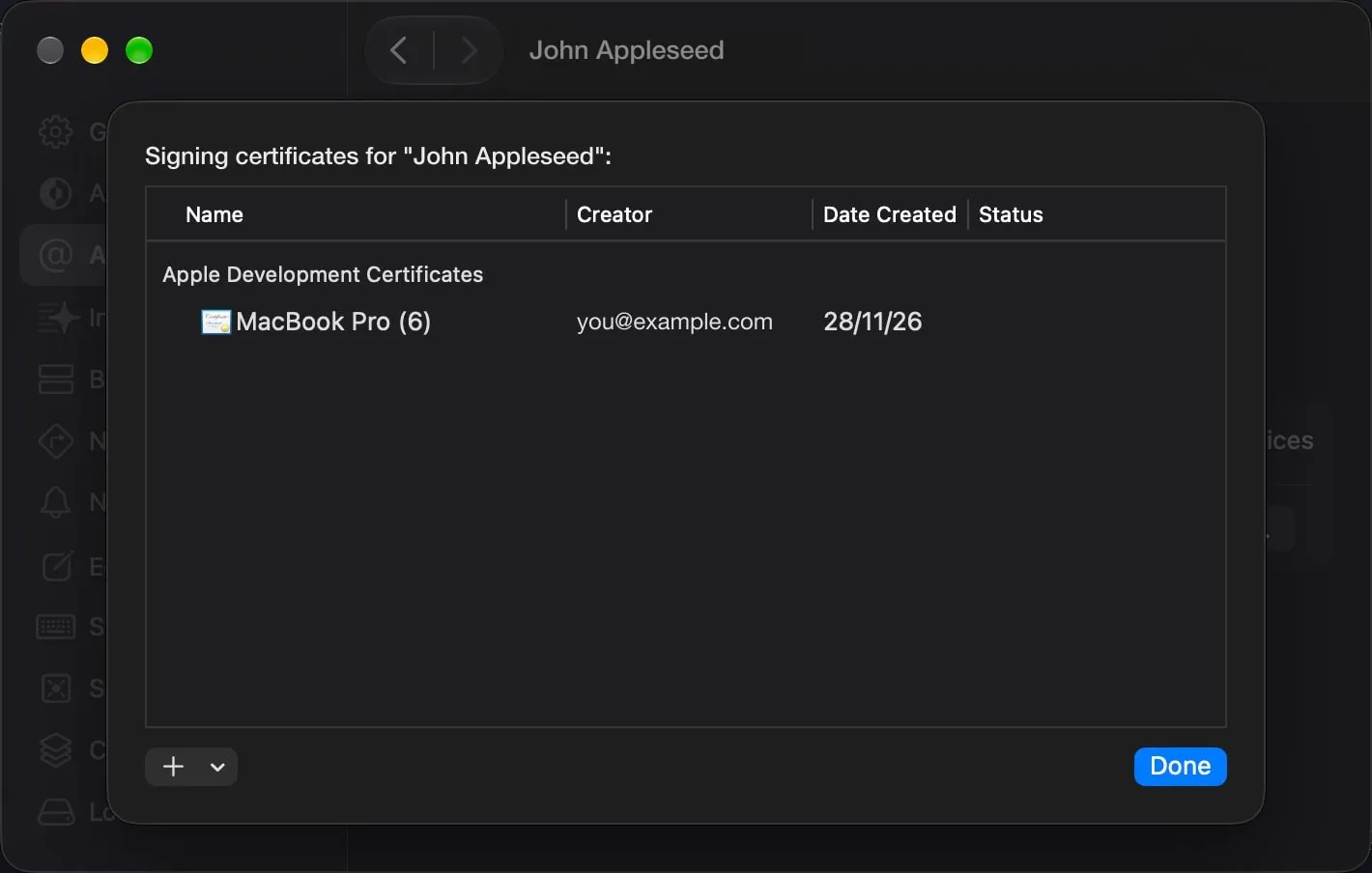
Skipping Xcode sign-in? How to enable unsigned (ad-hoc) extensions in Safari
If you run extport port safari without any certificate in Keychain (or with --no-sign), the macOS app is ad-hoc signed. To enable it in Safari:
-
Open Safari → Settings → Advanced and check Show features for web developers.
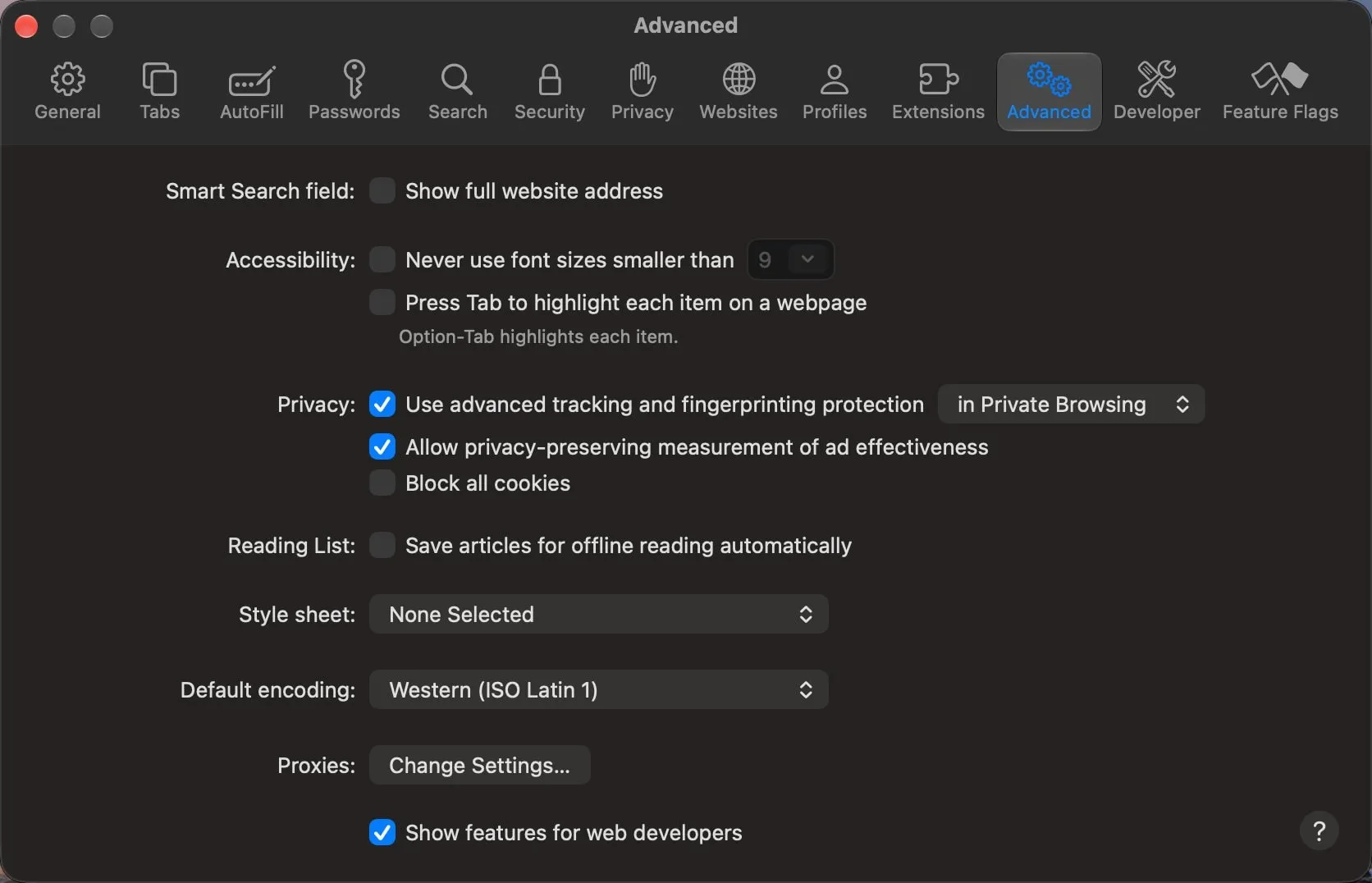
-
Open Safari → Settings → Developer and check Allow unsigned extensions. Safari resets this checkbox whenever you quit and reopen the browser.
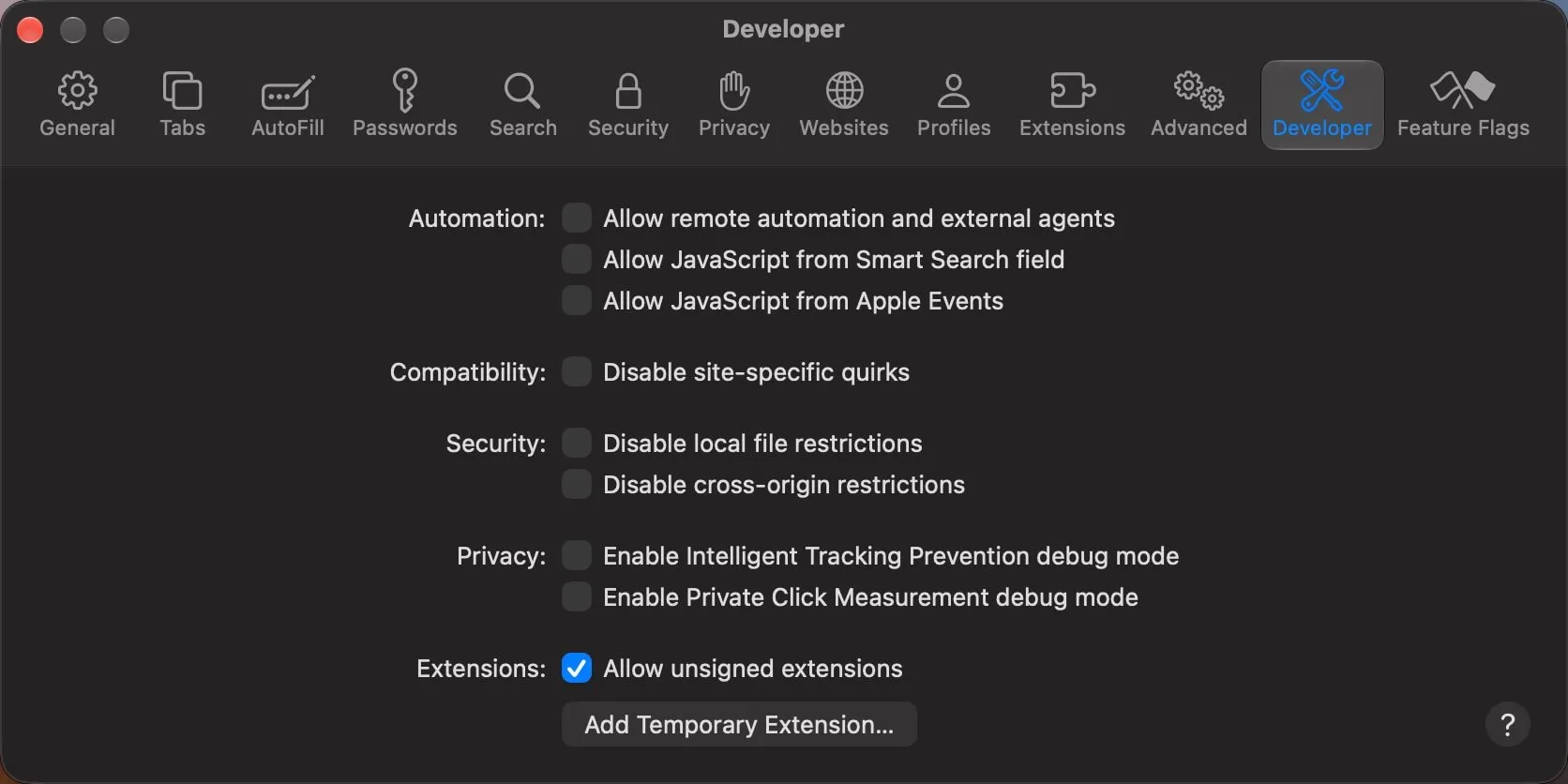
-
Open Safari → Settings → Extensions and check the box next to your extension.
In-place updates
Section titled “In-place updates”By default, bundle identifiers are derived deterministically (dev.extport.<team|local>.<extension-id>). Re-running extport port safari <url> when the upstream extension ships a new version installs over the existing app while keeping your Safari extension permissions and browser.storage data intact.
Common flags
Section titled “Common flags”| Flag | Description |
|---|---|
--platform <macos|ios> |
Target platform (default: macos) |
--output <path> |
Export the built .app (macOS) or .ipa (iOS) instead of installing |
--sign <name|sha1> |
Pick a specific Keychain signing identity non-interactively |
--no-sign |
Skip Keychain lookup (ad-hoc on macOS; requires --output on iOS) |
--device <name|udid> |
Target a specific physical iOS device (--platform ios only) |
--bundle-id <id> |
Override the deterministic bundle identifier |
--keep-project <dir> |
Keep a copy of the generated self-contained .xcodeproj |
--debug |
Stream raw converter, xcodebuild, and devicectl output |
Tested popular extensions
Section titled “Tested popular extensions”Verified on macOS 27.2 (Xcode 27.2 / Safari 27.2 WKWebExtension runtime, including macOS Apple Development signing and iOS .ipa + 375 px sheet layout checks):
| Extension | Version tested | Status | Notes |
|---|---|---|---|
| uBlock Origin Lite | 2026.1124.1811 |
Verified | 6 default DNR rulesets + 34 dynamic rules + 4 scripts active; blocks live ads on adblock-tester.com; macOS signed .app & iOS .ipa verified |
| Dark Reader | 4.9.135 |
Verified | Injects dynamic dark theme styles & popup renders cleanly; macOS signed .app & iOS .ipa verified |
| Vimium | 2.4.2 |
Verified | Background, content script, and popup load with zero errors (via Safari webNavigation shim); iOS .ipa verified (resources/ auto-relocated) |
| React Developer Tools | 8.0.0 |
Verified | Registers all 5 MAIN/ISOLATED content scripts with zero errors (via scripting.ExecutionWorld shim) |
| SponsorBlock for YouTube | 6.1.6 |
Verified | Background and popup load with zero errors |
| Obsidian Web Clipper | 1.8.5 |
Verified | Background and popup load with zero errors (Chrome sidePanel unavailable in Safari) |
| Refined GitHub | 26.11.6 |
Verified | Background loads with zero errors across Apple Development, Developer ID, ad-hoc, and iOS |
| OneTab | 2.24 |
Verified | Background loads with zero errors (Chrome omnibox / tabGroups unavailable in Safari) |
| SingleFile | 1.41.1 |
Verified | Background loads with zero errors (Safari lacks chrome.downloads / sidePanel) |
| Immersive Translate | 1.35.4 |
Verified | Background, DNR ruleset, and popup load cleanly |
| Bitwarden Password Manager | 2026.11.0 |
Verified | Background boots and full Angular popup renders under Safari |
| Stylus | 2.4.18 |
Verified | Background and popup boot cleanly (empty _execute_action command stripped; permissions.contains, webNavigation, idle shimmed) |
| Privacy Badger | 2026.9.15.2 |
Partial | Background boots and all 4 static DNR rulesets load (webRequest ws:// filter & setBadgeTextColor shimmed); some Chrome RE2 dynamic regexFilter rules are rejected by WebKit |
| Tampermonkey | 5.5.1 |
Unsupported API | Builds, but MV3 userscript execution requires chrome.userScripts, which Safari does not implement (warned up front) |
Publishing to the App Store instead?
Section titled “Publishing to the App Store instead?”extport port safari is for local personal installation on your own devices. When you’re ready to ship your own extension to the Mac App Store and iOS App Store, see the Safari publishing guide (extport safari-build).